Your signal fires. Your order reaches your broker in a flash.
Your TradingView alerts become real orders at your own broker — sent with take-profit and stop-loss in under 400 ms.
- Free plan
- No card needed
- Funds stay at your broker
 TradingView alertwebhook
 Algomatexchecks every order
Works with the broker you already trust





 Derayah
 Saudi National Bank
 E*TRADE
 Alpaca
 Lightspeed
 Lime
Lime eToro
eToro Kraken
 Bitget
 Phemex
 Charles Schwab



 Bank AlBilad
 Al Rajhi Bank
 Tradier
 Public
 AutoShares
 Trading 212
 Gemini
 BingX
BingX02Any alert source
Send an alert from anywhere.
Charts, scanners, no-code automations or your own AI agent — if it can send a webhook, Algomatex turns it into an order at your broker.
- Charting & scannersAlerts straight from the charts and scanners you already use.
- Automation platformsNo-code flows that fire a trade on any trigger you choose.
- AI agentsLet your own AI agent decide — and send the trade itself.
Charting & scanners

Automation platforms


- 31brokers you can trade through
- 3markets — stocks, ETFs and options
- 11+alert sources and automation tools
- 400msor less from alert to order
- 5K+traders automating their strategies
- 250K+orders placed through Algomatex
- 14risk gates checked before every order
03One hub
Any alert source. Any broker.
Every alert lands in Algomatex first: checked against your rules, then sent to the broker you choose, all in under a second.

 Charles Schwab
04One alert, every account
Fire once. Execute on every account.
Connect as many broker accounts as your plan covers. One alert reaches all of them in the same instant, each checked and sized for its own account.
- Every account receives the alert at the same moment
- Each order is checked and sized for its own account
- Mix brokers freely: stocks, options and crypto side by side
BUY 100 AAPL

- Charles Schwab ····4821Long-term stocksFilled
- Interactive Brokers ····7730Leveraged swing tradesFilled
- tastytrade ····2294Options contractsFilled
- TradeZero ····5518Fast intraday tradesFilled
- Webull ····0937Steady growth portfolioFilled




5 accounts, one alert, filled together
05The engine
Your whole trading day. On one live screen.
Every alert lands here the moment it fires: checked before it reaches your broker, filled or blocked with the reason, and counted into your P/L as it happens.
- Today's P/L and equity curve, live with every fill
- Every order with its time, size and the broker that filled it
- Blocked orders explained in plain words, not error codes
AutoTrade · TodayLive- 09:31
 NVDABuy 200Filled · Schwab
 - 09:42
 TSLASell 50Filled · IBKR
 - 10:05
 AMDBuy 100Blocked · Max positions
 - 10:17
 AAPLBuy 30Filled · tastytrade
06How it works
Three steps from idea to order.
No servers, no code, no copying orders by hand. Set it up once and every alert after that trades itself.
- 1
Create
Describe the trade once in the Signal Builder.
- Size by shares, dollars or % of buying power
- Take-profit, stop-loss and trailing exits per leg
- Copy a ready JSON alert — no code to write
- 2
Connect
Link the brokerage account you already own.
- Stocks, ETFs and options brokers
- Your money never leaves your broker
- Keys encrypted with a key made for your account
- 3
Send
Paste one webhook into TradingView. That's it.
- Every alert is checked before it trades
- Approve trades on Telegram first, if you like
- Every fill lands in your journal




07AI Connect
Ask any AI about your trades.
Connect your Algomatex account to ChatGPT, Claude, Gemini and every AI app that speaks MCP. Ask it to review the trades AutoTrade placed, find what works and explain what doesn't.
Try asking
- Why did my NVDA strategy lose this week?
- Which strategy has the best profit factor this month?
- Summarise every AutoTrade fill from today.
Read-only: an AI app can read your accounts — it can never place an order.
08Everything in one place
Build your trading experience.
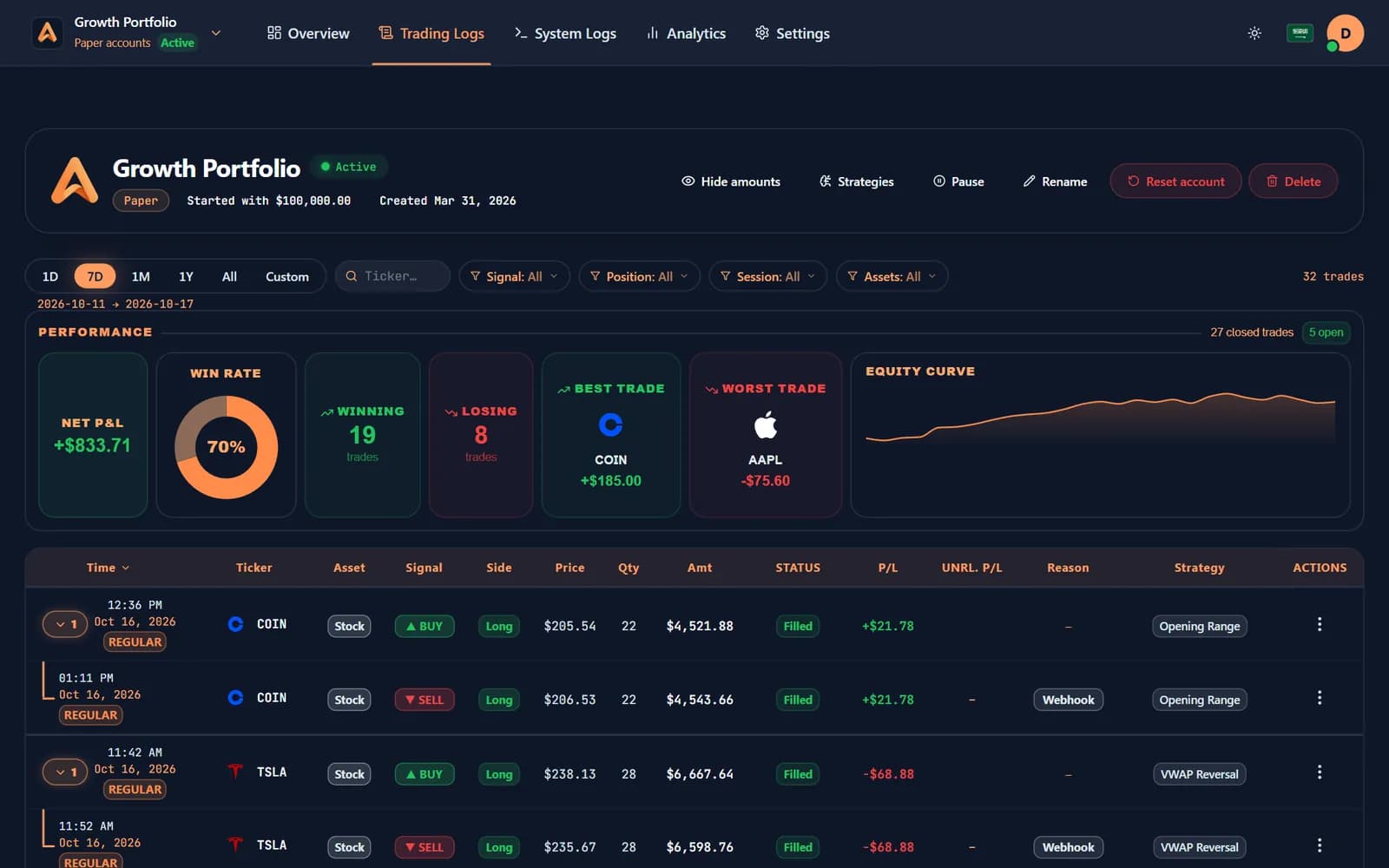
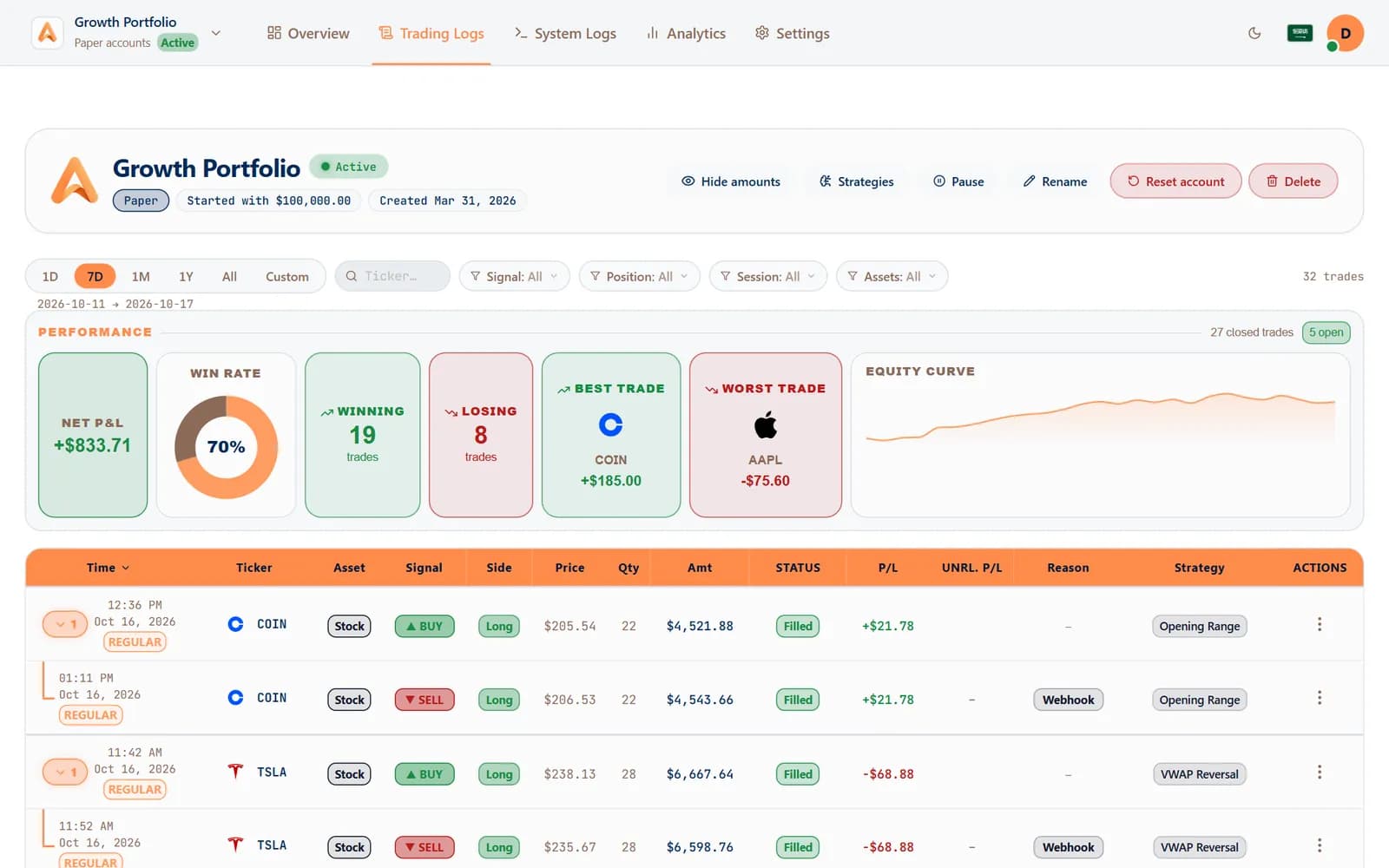
Automate what repeats, click what needs you, and see the numbers behind both — from one account, on the broker you already trust.
 AutoTrade
Trade without watching the screen?
AutoTrade places every alert with its exits while you're away from the screen — and tells your phone the moment anything fills.
Learn more: Trade without watching the screen?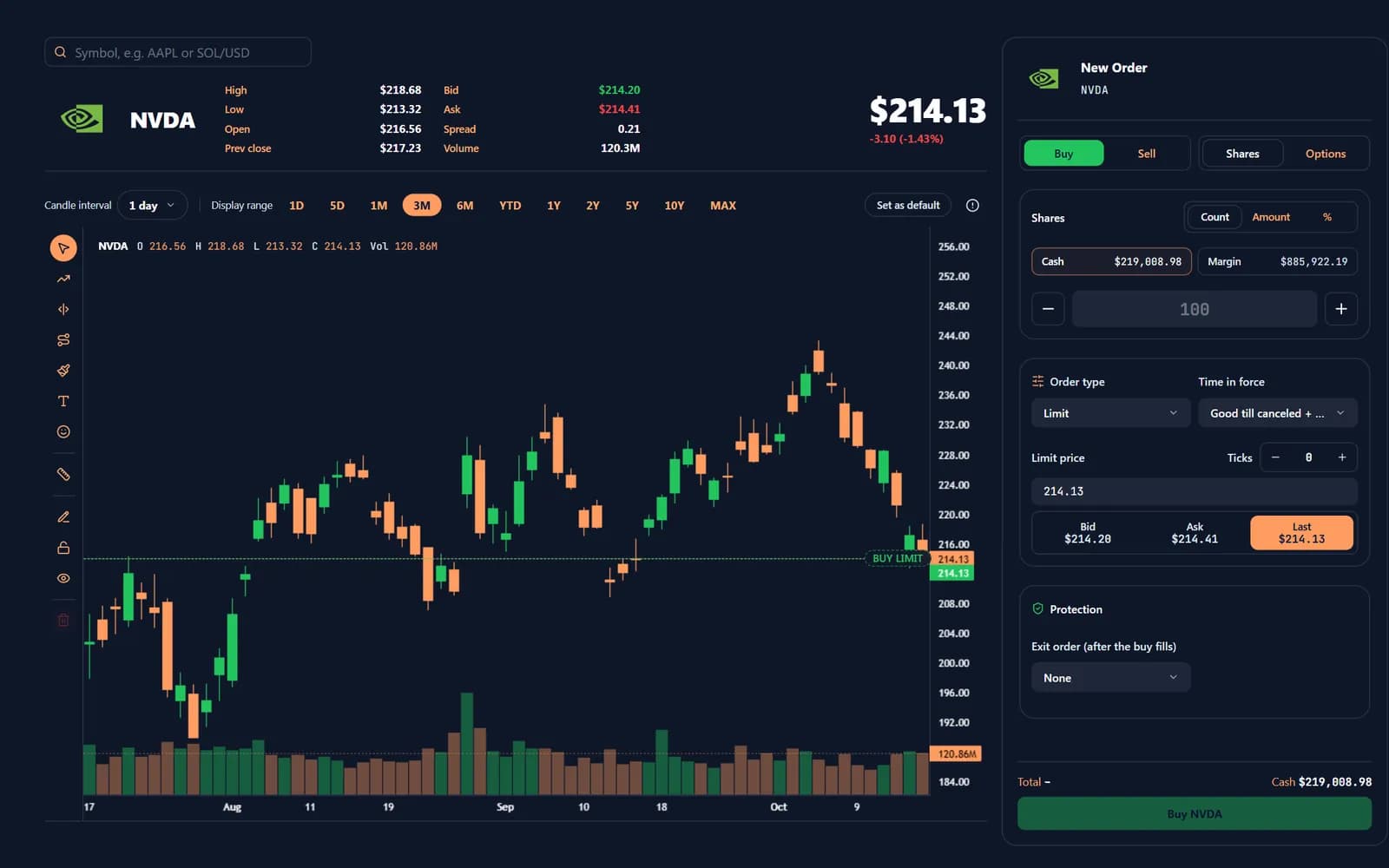
 Manual Trade
Prefer to click the button yourself?
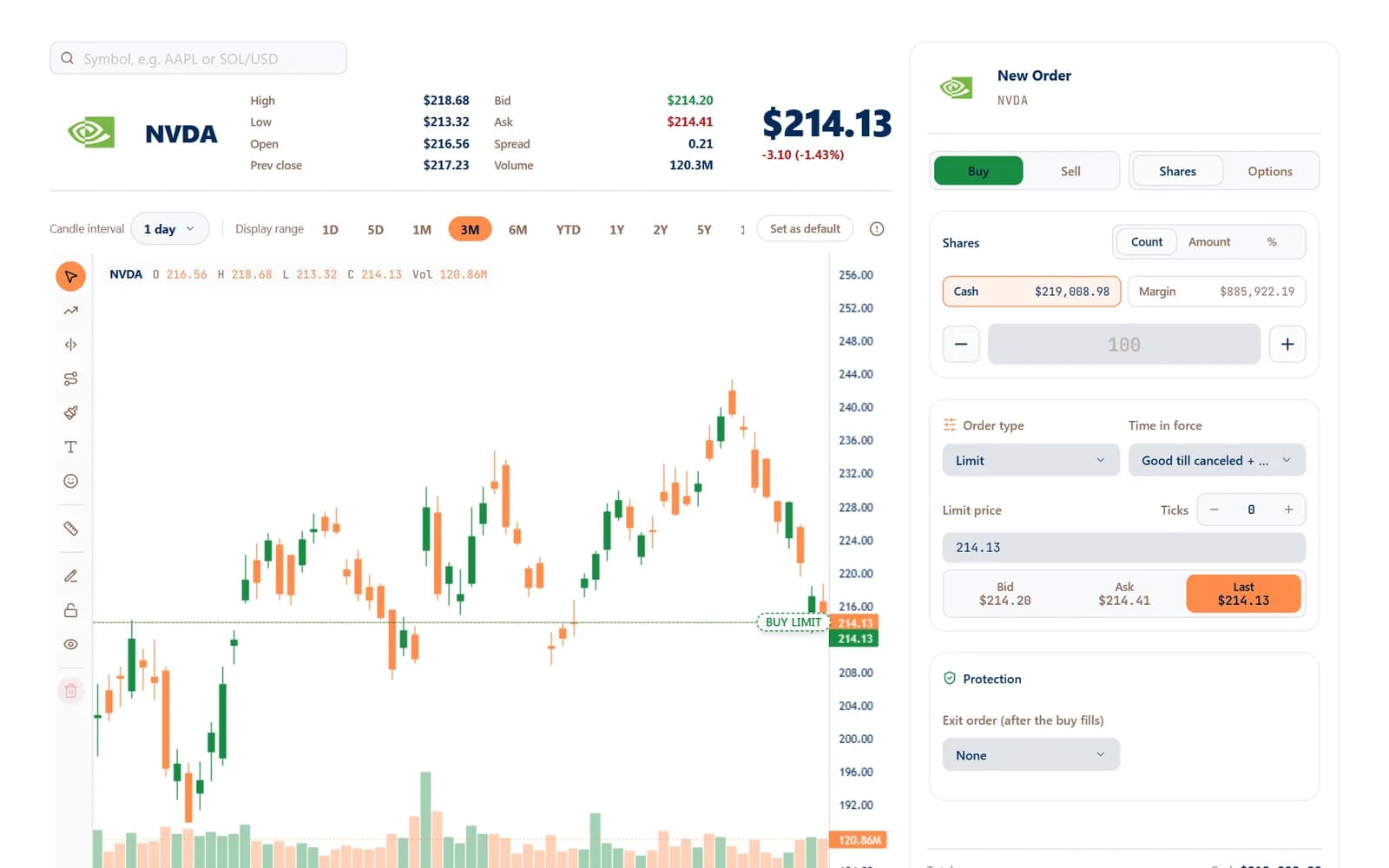
Manual Trade gives you a fast ticket, a live chart and drag-to-edit orders — with the same protection on every entry.
Learn more: Prefer to click the button yourself?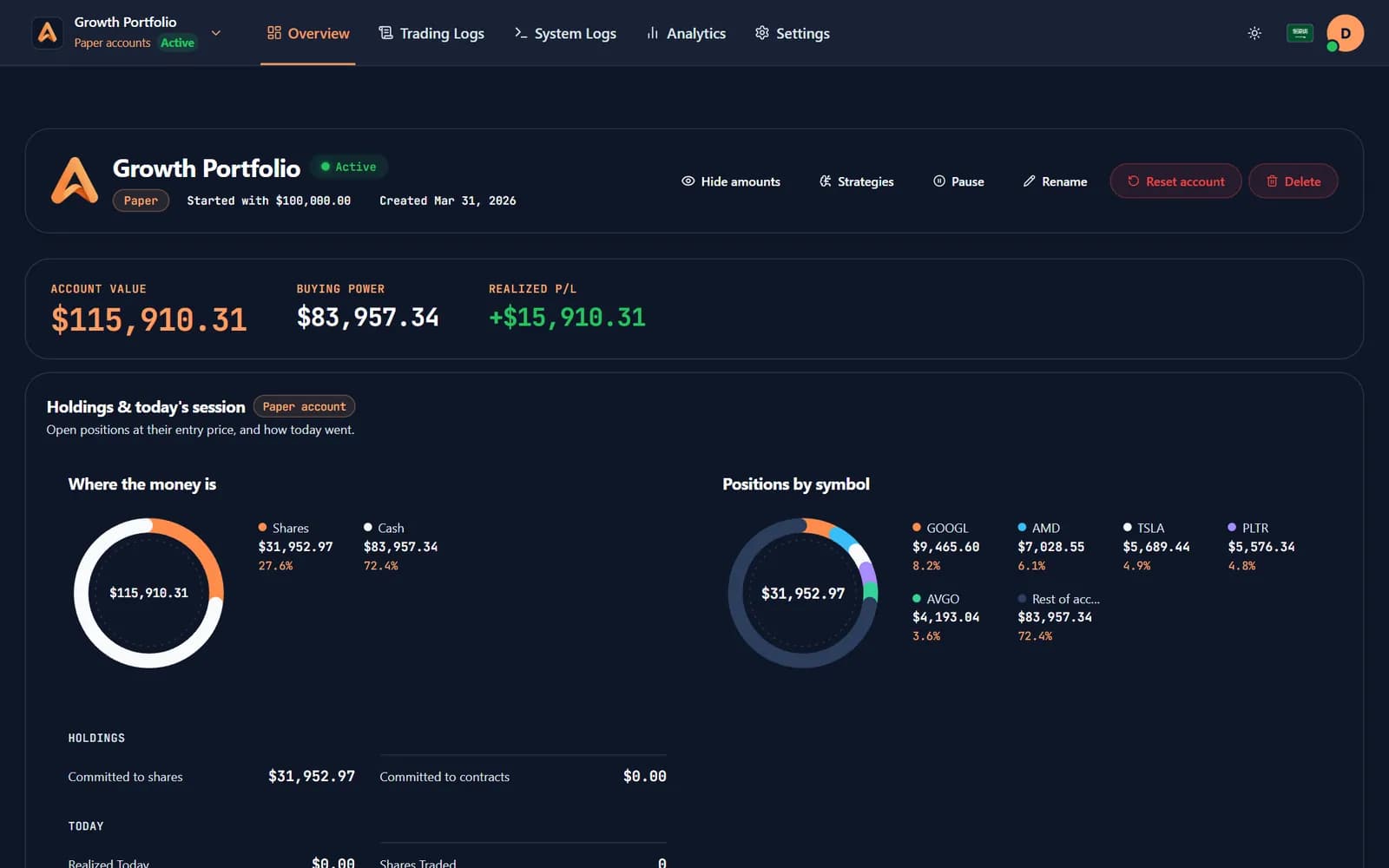
 Paper trading
Not ready to risk real money?
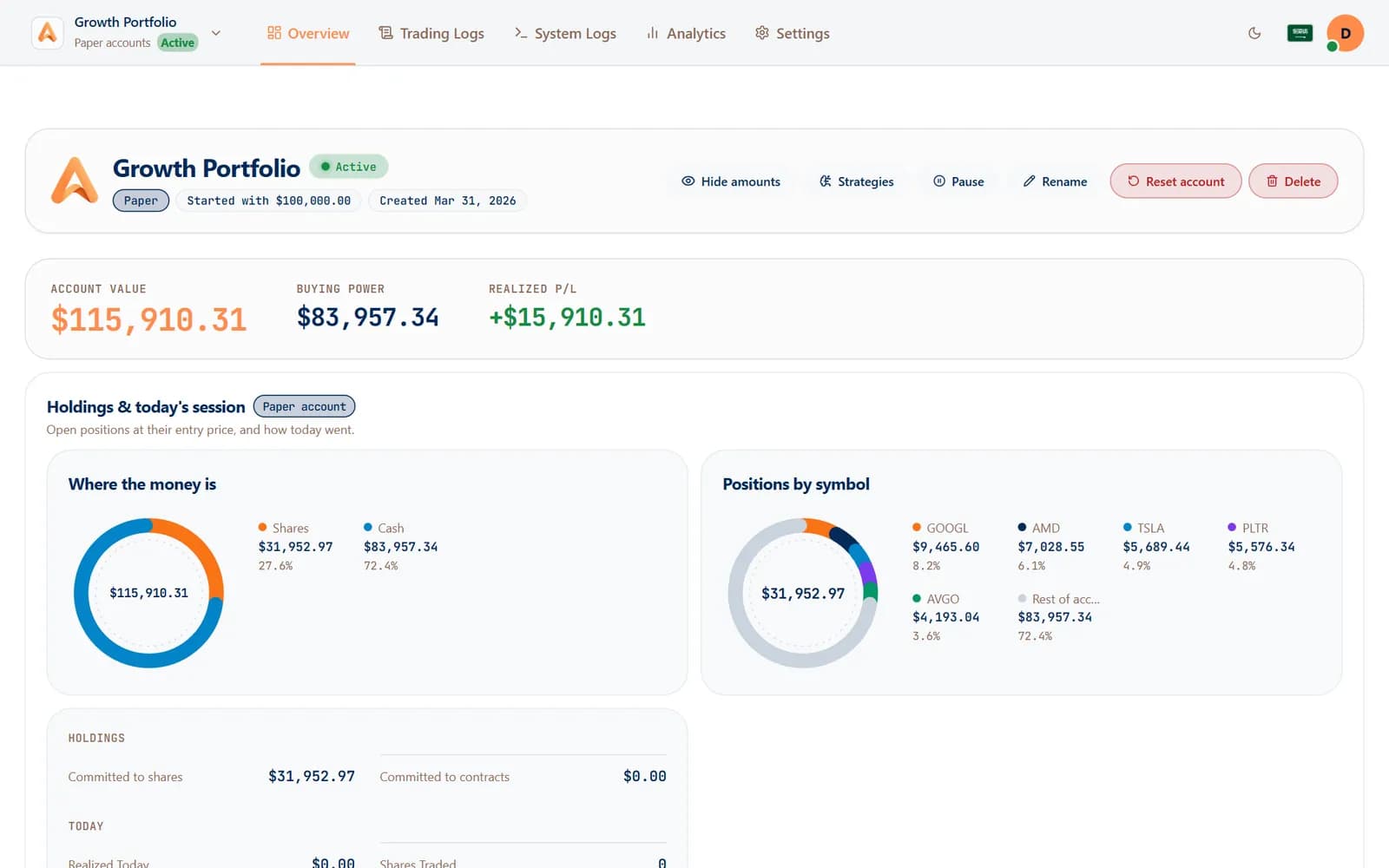
Paper accounts run the same engine on virtual money, so a strategy proves itself before it touches your broker.
Learn more: Not ready to risk real money?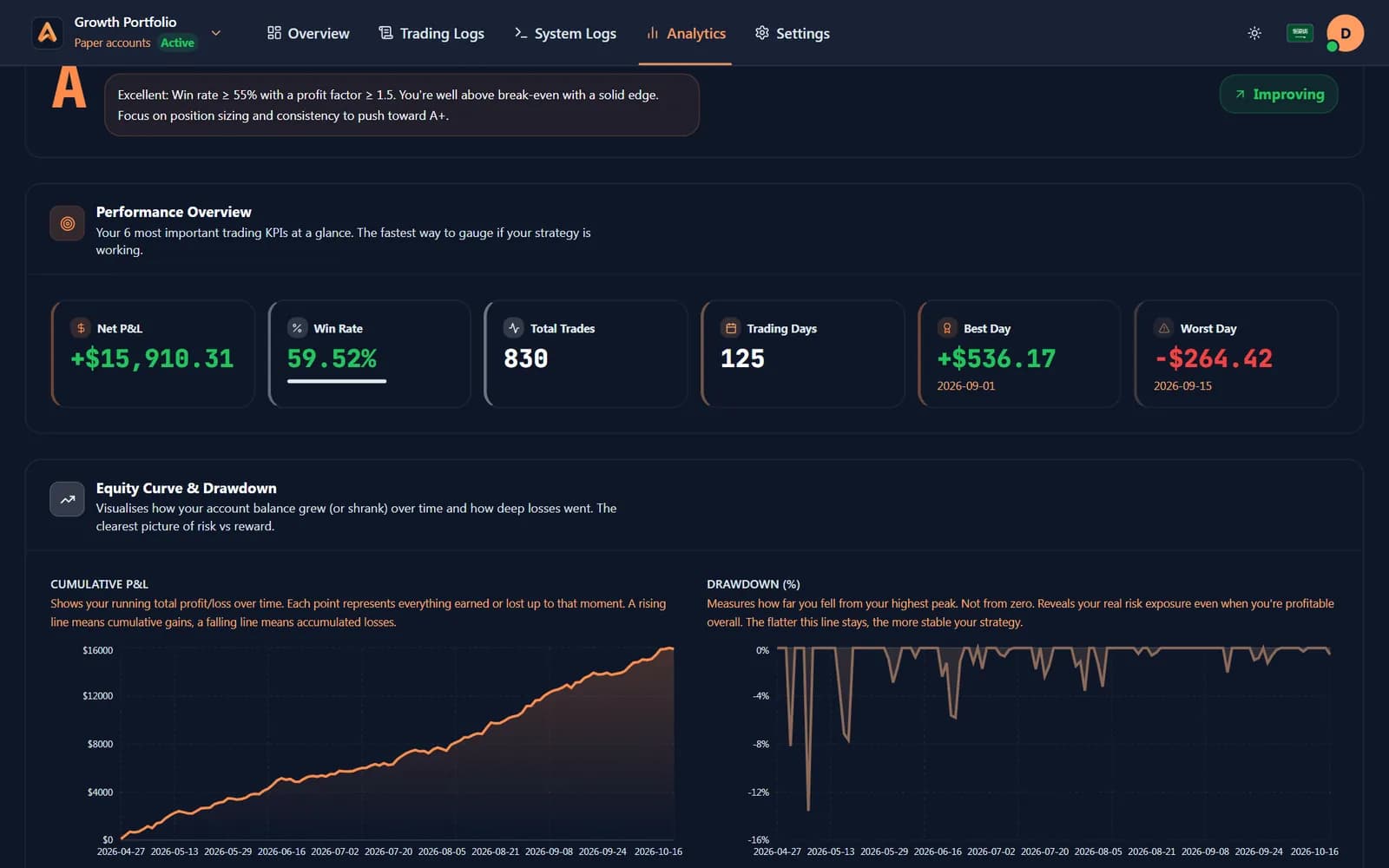
 Analytics & journal
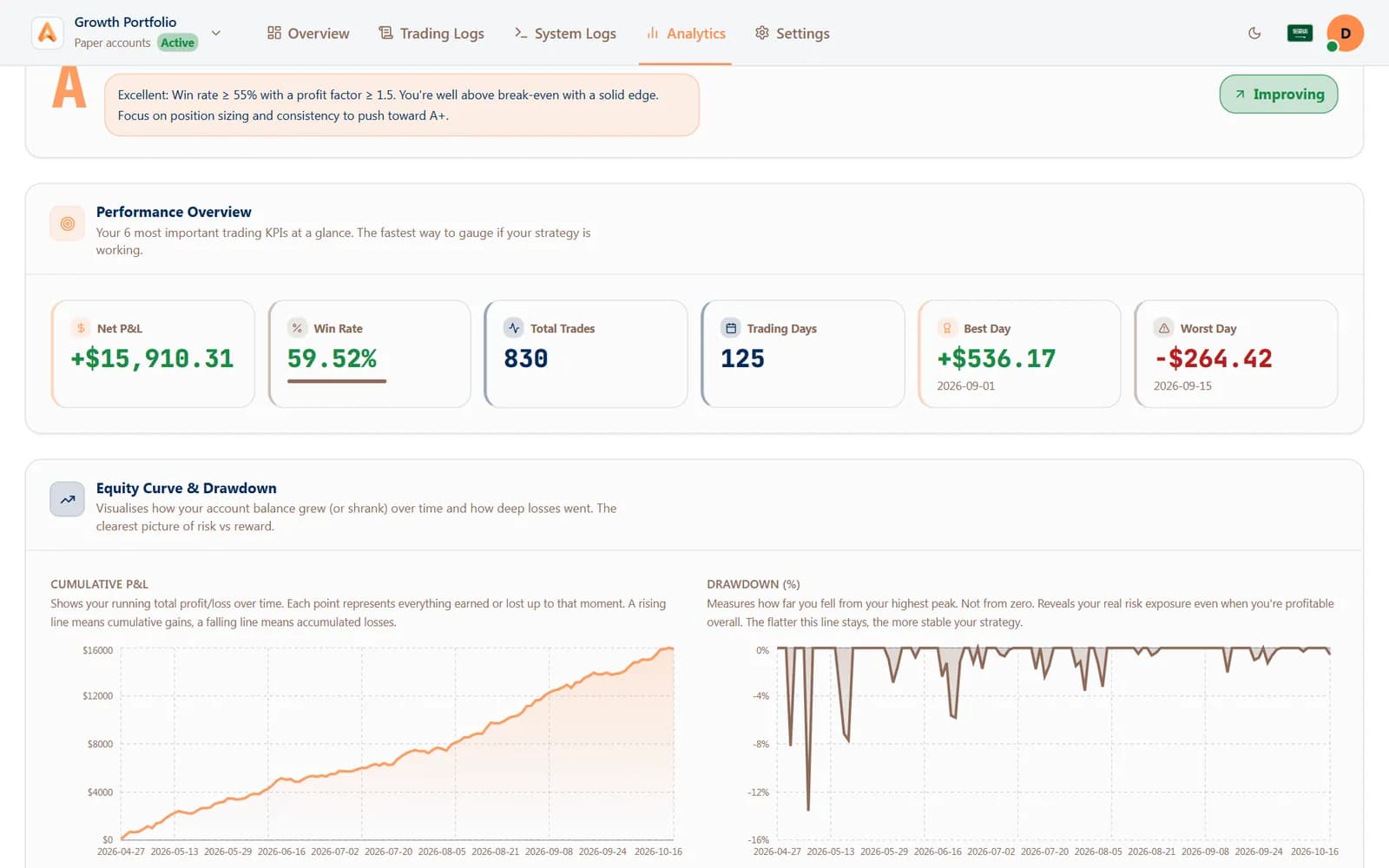
Do you know which strategy pays?
Analytics and a journal turn every fill into win rate, profit factor and P&L by strategy, by day and by hour.
Learn more: Do you know which strategy pays?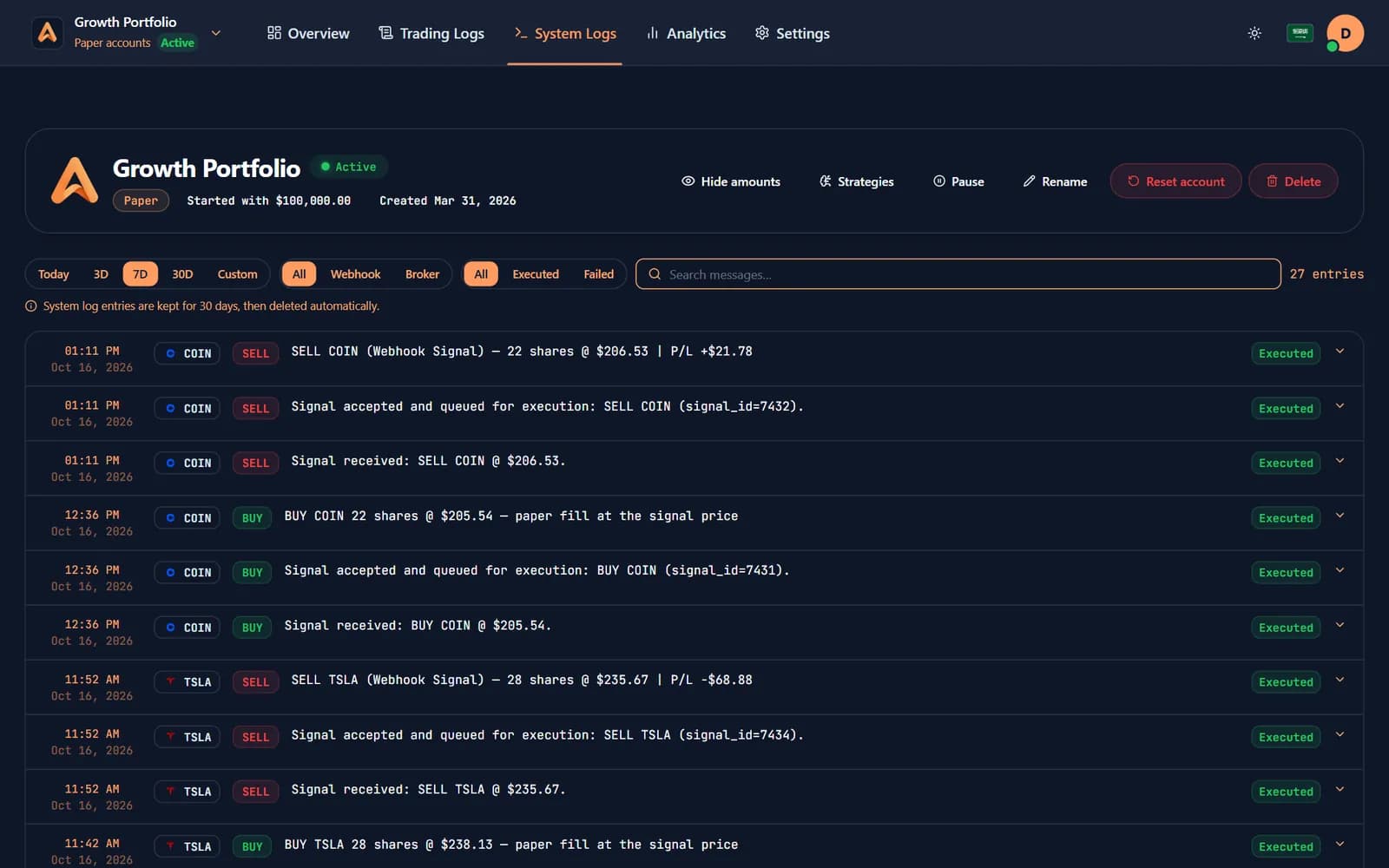
 Logs & alerts
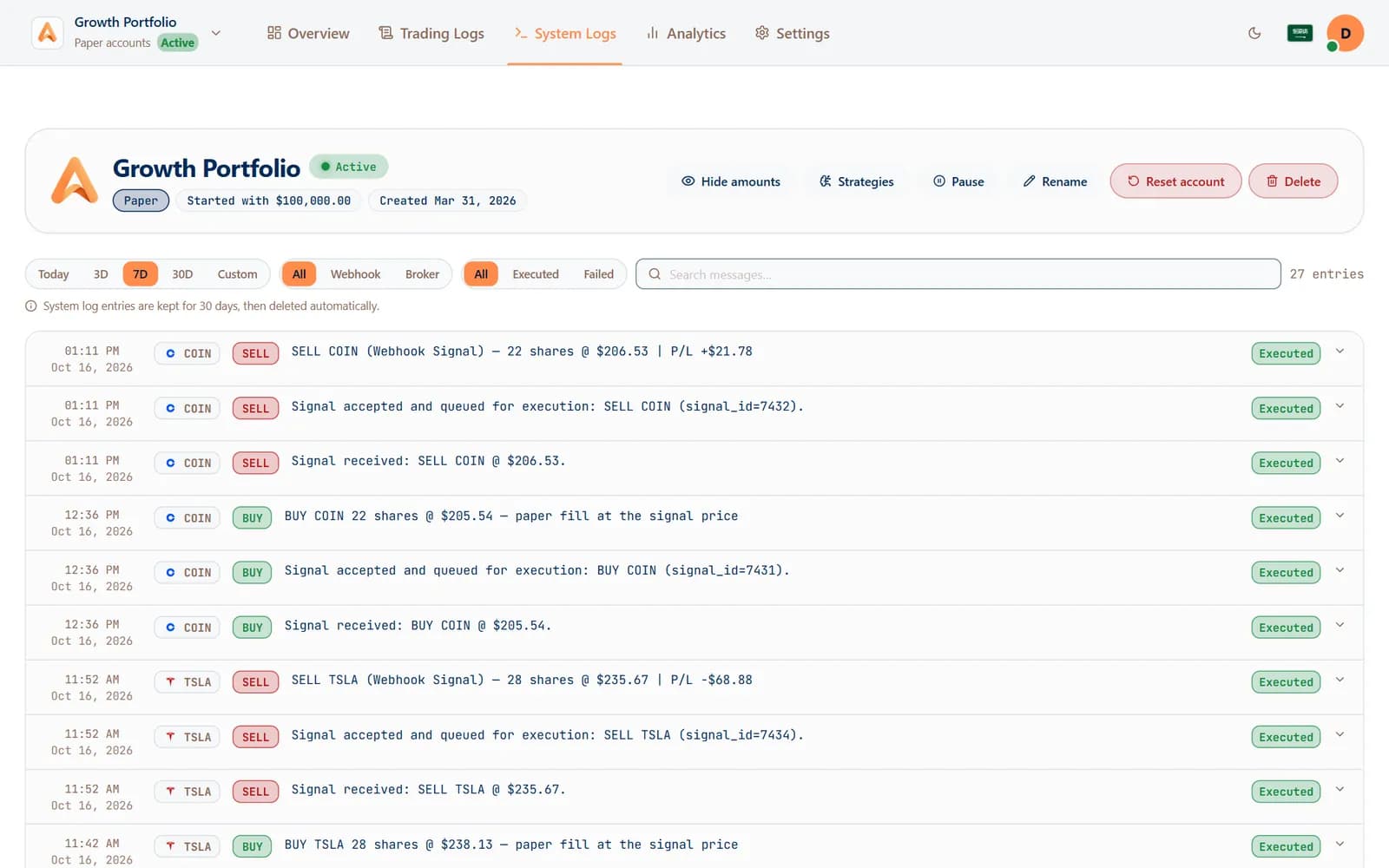
Want to know exactly what happened?
Every signal is logged step by step — received, accepted, filled — and the same moments reach Telegram or your phone the second they happen.
Learn more: Want to know exactly what happened?
09Free market tools
Read the market before you trade it.
Two free tools, no account needed: see where money is moving right now, and what is scheduled to move it next.
- Heatmap
Which sectors are moving today?
S&P 500 stocks by sector, every US ETF and the crypto market on one screen: size is weight, colour is today's move.
Open the heatmap - Economic calendar
What could move the market this week?
Every scheduled US release with its forecast, previous and actual figure, in US Eastern time and ranked by impact.
Open the calendar
10FAQ
Questions, answered.
How does Algomatex turn a TradingView alert into an order?
You paste your Algomatex webhook URL and a JSON message into a TradingView alert. When the alert fires, Algomatex places the order at your broker together with its take-profit and stop-loss — usually in under 400 ms.
Does Algomatex hold my money?
No. Your funds stay in your own brokerage account. Algomatex can place and manage orders, but it never holds funds and cannot withdraw.
Which brokers and assets are supported?
Stocks, ETFs and options across 31 brokers, including Charles Schwab, Interactive Brokers, tastytrade, TradeStation, Webull and Robinhood.
Can I try it without risking real money?
Yes. The free plan includes paper accounts that run the same engine on virtual money, so you can prove a strategy before connecting a live broker.
Do I need to write code?
No. The Signal Builder writes the alert message for you — pick the size and exits, then copy it into TradingView.
What stops a bad signal from trading?
Every entry is checked against the limits you set — daily trade and P&L limits, trading hours, news blackouts, duplicate signals and opposite positions — plus a kill switch you control.
Your next alert could be your first automated order.
Connect a broker, paste one webhook into TradingView and watch the next signal fill. Practise on free paper accounts first.
Free plan · No card needed · Cancel anytime