
TradingView drawing limit
Hit TradingView's 30-drawing cap? Draw up to 1,000, free.
TradingView's free Basic plan allows 30 drawings per chart. Algomatex Chart allows up to 1,000 drawings on each chart and symbol, from 52 tools, free with a free account.
- 1,000 drawings per chart
- 52 drawing tools
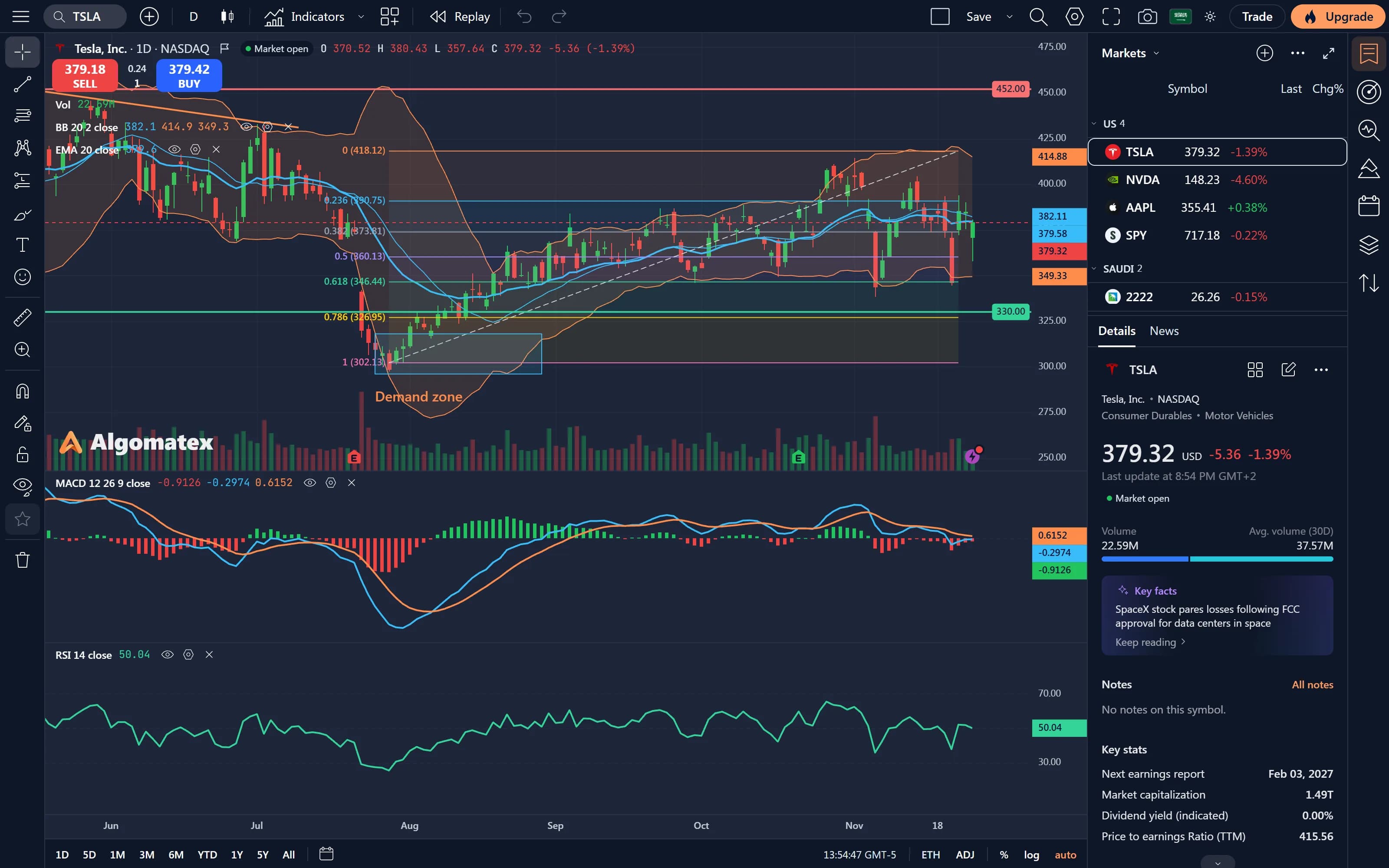
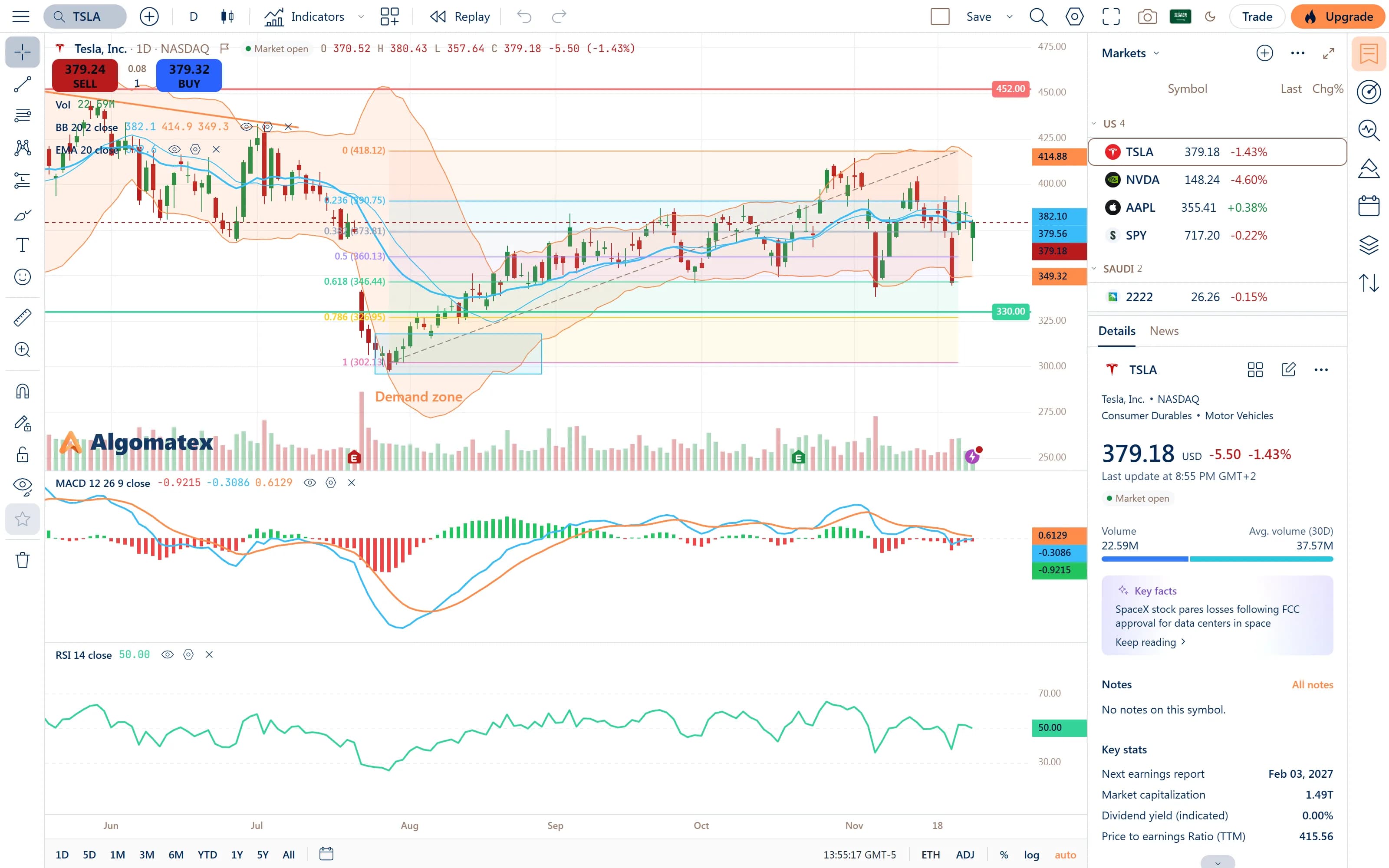
| Algomatex Chart (free) | TradingView Basic (free) | |
|---|---|---|
| Drawings per chart | 1,000 | 30 |
| Indicators per chart | 20 | 2 |
| Charts per layout | 16 | 1 |
| Saved chart layouts | 50 | 1 |
Facts checked November 25, 2026
01The short answer
How many drawings does TradingView's free plan allow?
TradingView's pricing page lists 30 drawings per chart on the free Basic plan, and unlimited drawings from the Essential plan at $12.95 a month billed annually. Users reported the cap being enforced from mid-November 2026, some saying it counts across all their symbols.
Algomatex Chart allows up to 1,000 drawings on each chart and symbol, free with a free account and no ads. Your drawings are saved to your account, so they follow you to every device.
02Side by side
Drawings, plan by plan.
TradingView prices are per month billed annually, from its pricing page on November 25, 2026.
| Feature | Algomatex Chart (free) | TradingView Basic (free) | TradingView Essential |
|---|---|---|---|
| Drawings per chart | 1,000 | 30 | Unlimited |
| Price | Free | Free | $12.95 / month |
| Indicators per chart | 20 | 2 | 5 |
| Charts per layout | 16 | 1 | 2 |
| Saved chart layouts | 50 | 1 | 5 |
03The drawing set
Room to draw, and the tools to do it well.
Everything below is on the free chart.
52 drawing tools
Trend lines, channels, Fibonacci, pitchforks, patterns, Gann, measures, positions and notes.
Saved to your account
Drawings sync to every device you sign in on, per layout and symbol.
Styles you reuse
Save a drawing's style as a template and favourite your most-used tools on their own bar.
Magnet, lock and hide
Snap to candles, lock finished work and hide drawings without deleting them.
04Get started
Open it in three steps.
- 1
Create a free account
Sign up in a minute — no card, no trial clock.
- 2
Open the chart
Search a symbol and pick a layout.
- 3
Start working
Draw, add indicators or run a screen; it all saves to your account.
05FAQ
Questions, answered.
Is TradingView's drawing limit per chart or per account?
TradingView's pricing page says 30 drawings per chart on the free plan. Some users reported in November 2026 that the count ran across all their symbols; TradingView has not published an explanation.
How many drawings can I use on Algomatex Chart?
Up to 1,000 drawings on each chart and symbol, free. The limit is the same for every account.
Which drawing tools does Algomatex Chart have?
52 tools: lines, rays and channels, Fibonacci and Gann tools, pitchforks, chart patterns, long and short positions, measures, text, notes and callouts.
Can I move my TradingView drawings to Algomatex Chart?
Drawings do not transfer between platforms, so you redraw your key levels once. They are then saved to your Algomatex account.
Do I need a paid plan for more drawings?
No. Algomatex Chart has no paid tier for drawings: every free account gets up to 1,000 per chart.
06Chart guides
More answers about Algomatex Chart.
Each guide answers one question with figures, a table and its sources.
Free TradingView alternative
Every free-plan limit side by side, and where TradingView is still ahead.
Read the guideTradingView's indicator limit
2 indicators on the free plan; 20 on Algomatex Chart, free.
Read the guideFree stock screener
20 filters, 50 saved screens and auto-refresh, beside the chart.
Read the guideSaudi stock chart
Tadawul symbols with the full drawing set, in Arabic.
Read the guideEgyptian Exchange chart
EGX symbols with indicators, drawings and the screener.
Read the guide
Sources
- TradingView pricing and plan limits
- FinanceFeeds: free users report a new 30-drawing limit (18 Nov 2026)
Facts checked November 25, 2026. TradingView is a trademark of TradingView, Inc.; Algomatex is not affiliated with it.
Draw again. Free.
Open Algomatex Chart with a free account and redraw your levels — up to 1,000 on every chart.
Free paper trading · No card needed